块级数据重删不会减少 Windows 已用的空间量;它只会减少 DS/GS 存储池已用空间。
了解影响
例如,如果虚拟卷 (VV) 为 1TB,无论是否启用数据重删,Windows 最多只能识别 1TB 数据。换句话说,Windows 不知道数据正在被重删。
场景举例
请设想以下场景 :
- 物理硬盘大小 : 1TB
- 存储池 (预留) 大小 : 1TB
- 精简预置卷 : 2TB
开始 Windows 将检测到 2TB 的可用空间。如果不启用重删,如果用户向 VV 写入 1TB 数据,存储池将变满,从而阻止数据进一步的写入。
但是,如果启用重删,1TB 数据可能会减少到 300GB (尽管 Windows 仍会感知到此 LUN 上 有 1TB 数据)。这种减少会使存储池有 700GB 可用空间,从而允许 Windows 继续写入数据。
其他信息
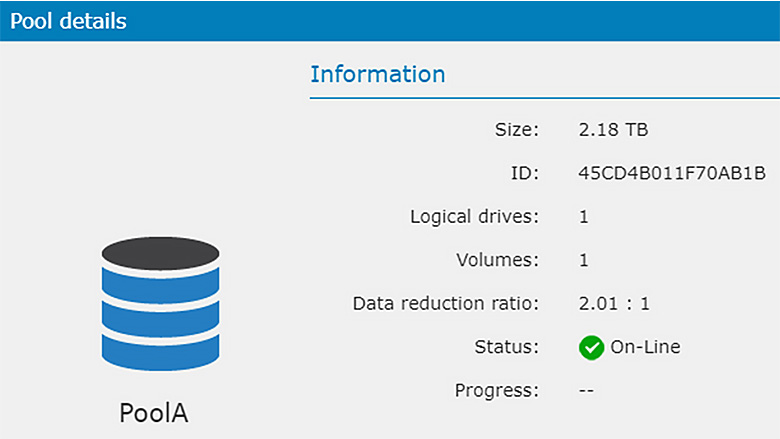
- 重删率 : 数据重删率显示在 Pool details(存储池详细信息)中。
- 卷级数据重删率 : 每个卷没有可用的数据重删率信息,因为同一存储池中所有要重删的数据会在一起被重删。