We use cookies on this website. To find out more about cookies and how they are used on this website, see our Privacy Policy.
By clicking ‘Continue’, you hereby agree with our use of cookies.

常见问题解答

如何操作 GS 系列系列的 License 激活?

Last modified date: Fri, 22 Nov 2024 14:24:08 GMT+8

解释 :

请按照以下步骤激活 GS 系列许可证 :

  • 访问许可证服务 :
    1. 访问 Infortrend 官方网站 > 支持。向下滚动并点击“许可证服务” (License Service)。
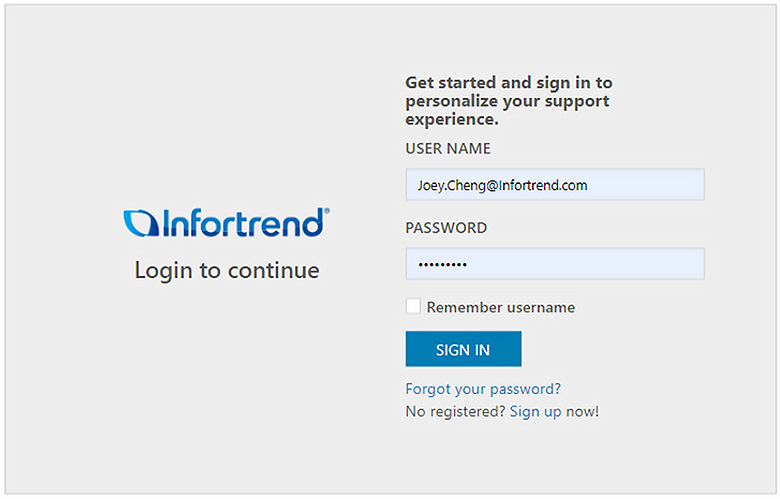
    2. 登录到支持网站。如果您没有帐户,请创建一个新帐户。
      create an account
  • 前往许可证激活 :
    在左侧菜单栏上,选择“许可证激活” (License Activation)
  • 生成许可证申请文件 :
    打开管理软件 EonOne > 系统 > 设置 > 许可证管理,点击“生成许可证申请文件” (Generate License Application File)。
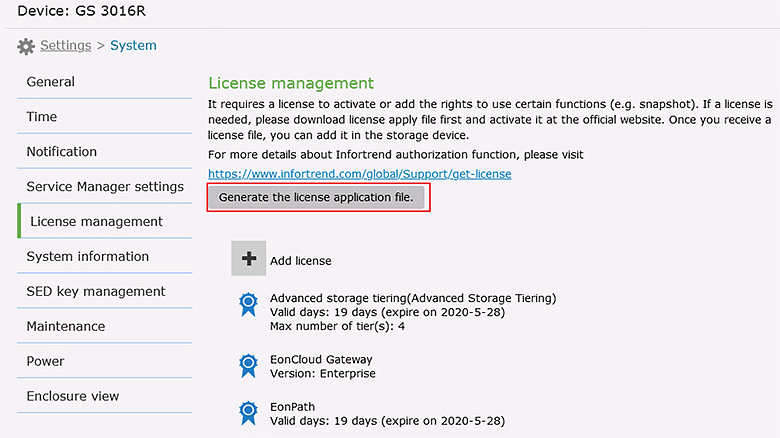
    Generate License Application File
  • 上传许可证申请文件 :
    选择生成的许可证申请文件,上传到支持站点,然后点击“下一步”。
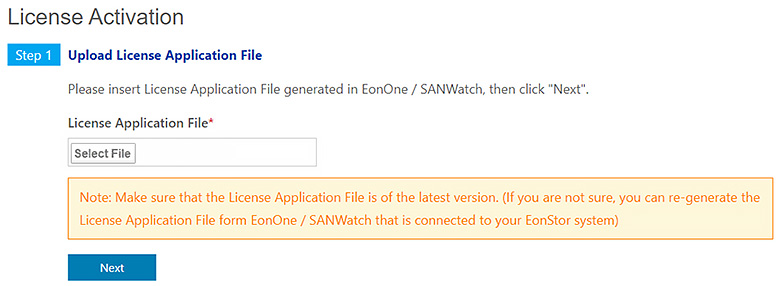
    Select the generated License Application File
  • 输入许可证序列号 :
    输入收到的 Infortrend 许可证序列号。点击“添加”将许可证拖动到“要添加的许可证” (License to be added)。验证许可证详细信息后,点击“下一步”。
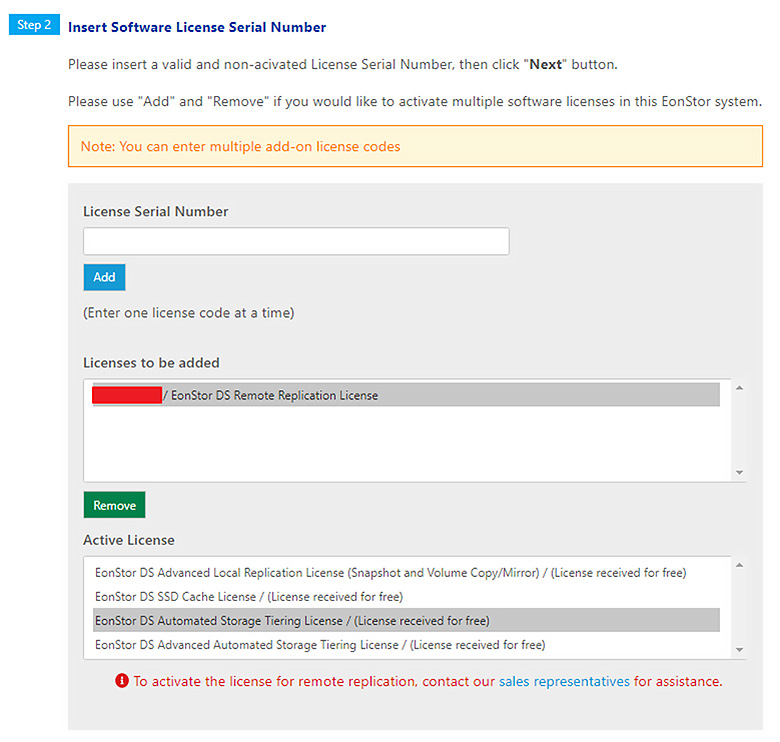
    Enter the License Serial Number you received from Infortrend
  • 下载许可证密钥文件 :
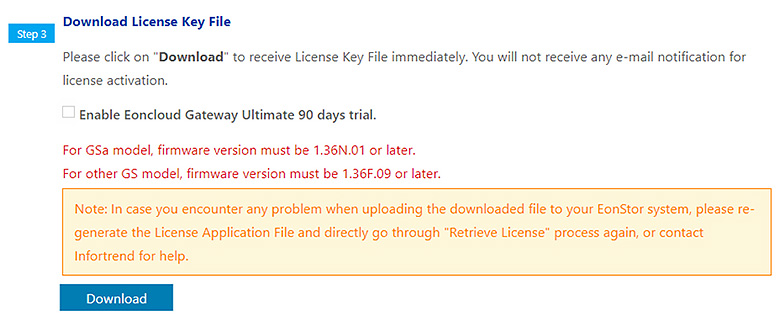
    点击“下载”下载许可证密钥文件。
    Click Download to download the license key file
  • 在 EonOne 中激活许可证 :
    前往 EonOne > 设置 > 系统 > 添加许可证,上传许可证密钥文件,许可证将被激活。
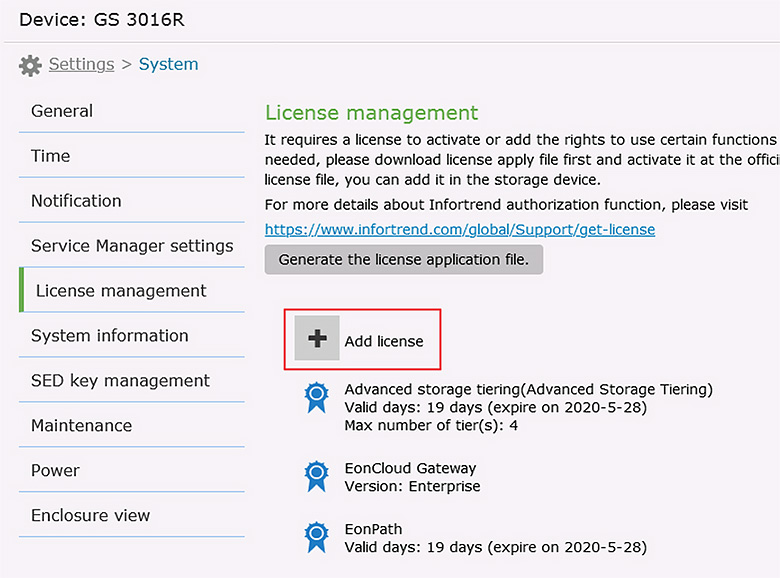
    Go to EonOne

本文对您有帮助吗? |

Thank you for your feedback!

Do you have any other feedback for this article?

{{ vm.showErrorMessage }}