通过添加云存储,IP 地址和连接协议将保存在 GS 。
- 在 web 浏览器上,使用 GS 设备的管理 IP 登录 EonOne。
- 在 EonOne 上,前往设置>应用程序>已安装。
- 找到备份服务器。点击此应用程序的展示区域,然后点击打开。

- 点击数据源。在数据源中,点击云存储。所有添加的云存储将显示在以下部分。点击添加。

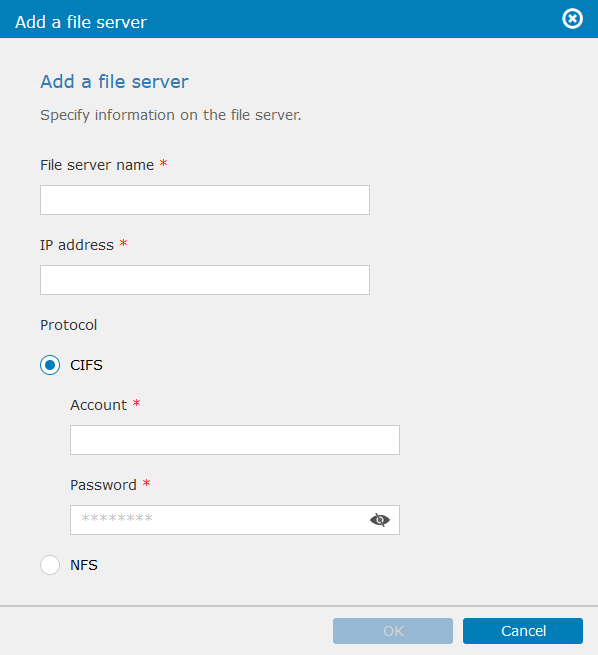
- 前往“添加云存储”页面,指定以下信息:
- 云存储名称
- IP地址: 此云存储的IP地址。
- 协议: 选择CIFS或NFS进行连接。选择 CIFS 时,请指定账户名和相应的密码。
- 点击确定。然后,新添加的云存储将显示在云存储列表中。如果要添加另一个云存储,请重复步骤 4 到步骤 6。
 主页