We use cookies on this website. To find out more about cookies and how they are used on this website, see our Privacy Policy.
By clicking ?ontinue?? you hereby agree with our use of cookies.

{{vmH.selected.familySearch.replace("EonStor ", "")}}

Product Service

将数据恢复到文件服务器

在EonOne上,创建一个任务在文件服务器中恢复您的数据。

注意:

文件夹属性(例如 ACL 设置)尚未备份。当恢复数据的源端是文件服务器时,目标端文件夹的ACL设置将应用于恢复的文件夹/数据。

  1. 在 web 浏览器上,使用 GS 设备的管理 IP 登录 EonOne。
  2. 在 EonOne 上,前往设置>应用程序>已安装。
  3. 找到备份服务器。点击此应用程序的展示区域,然后点击打开。
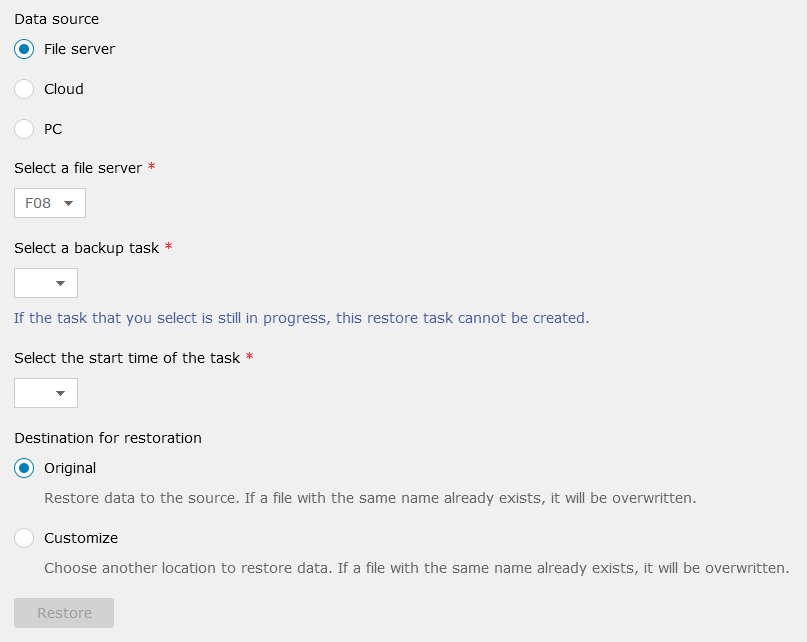
  4. 点击恢复。对于数据源,请选择文件服务器。
  5. 选择文件服务器。
  6. 选择备份任务名称和备份操作激活时间。对于排程任务,备份操作将多次激活。
  7. 点击恢复创建任务。